

Macro Mechanical Keyboard RGB Mini Gaming Custom Programming Knob Keypads 3 Keys For Photoshop


Macro Mechanical Keyboard RGB Mini Gaming Custom Programming Knob Keypads 3 Keys For Photoshop
SPECIFICATIONS
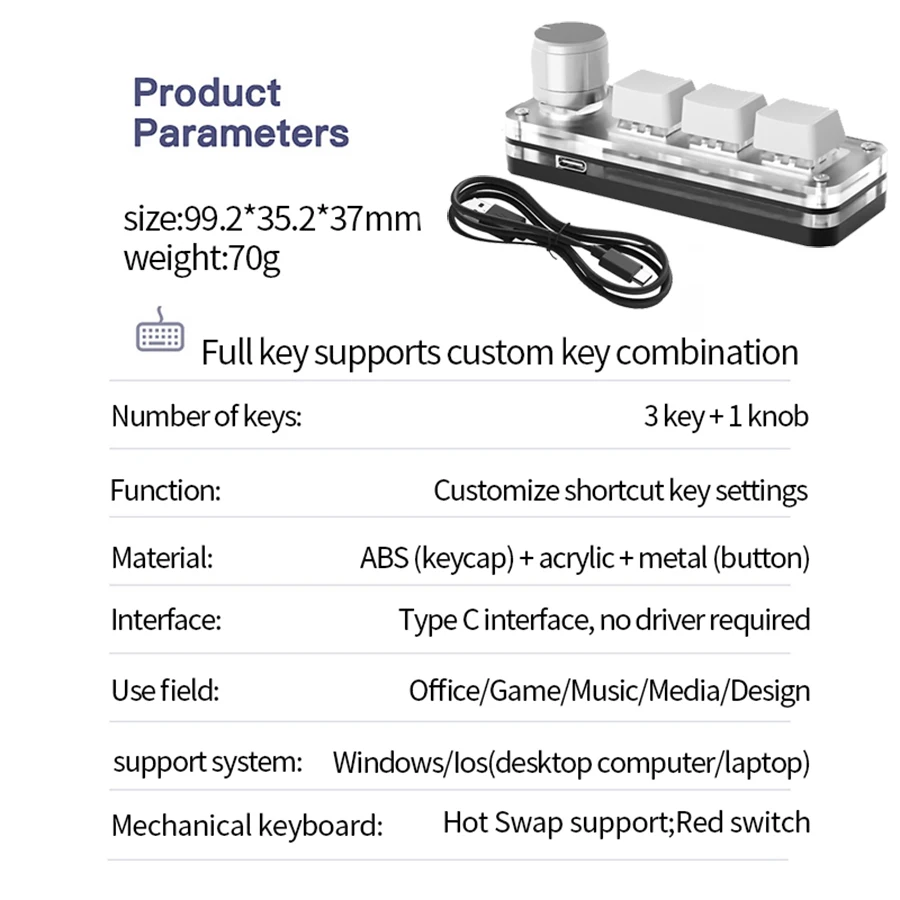
Application: Desktop,Laptop
Backlight Type: MULTICOLOR
Battery Included: no
Brand Name: other
Choice: yes
High-concerned chemical: None
Interface Type: USB
Keyboard Standard: Mini Keyboard
Language: English
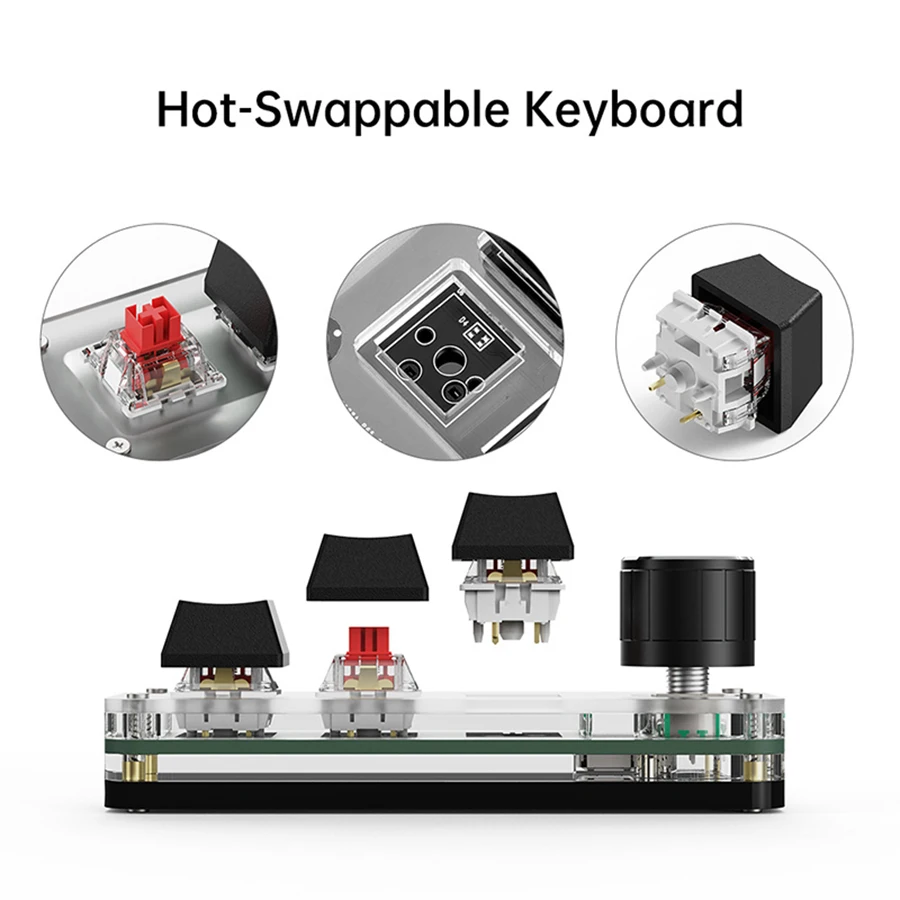
Operation Style: Mechanical
Origin: Mainland China
Package: Yes
Style: Mini
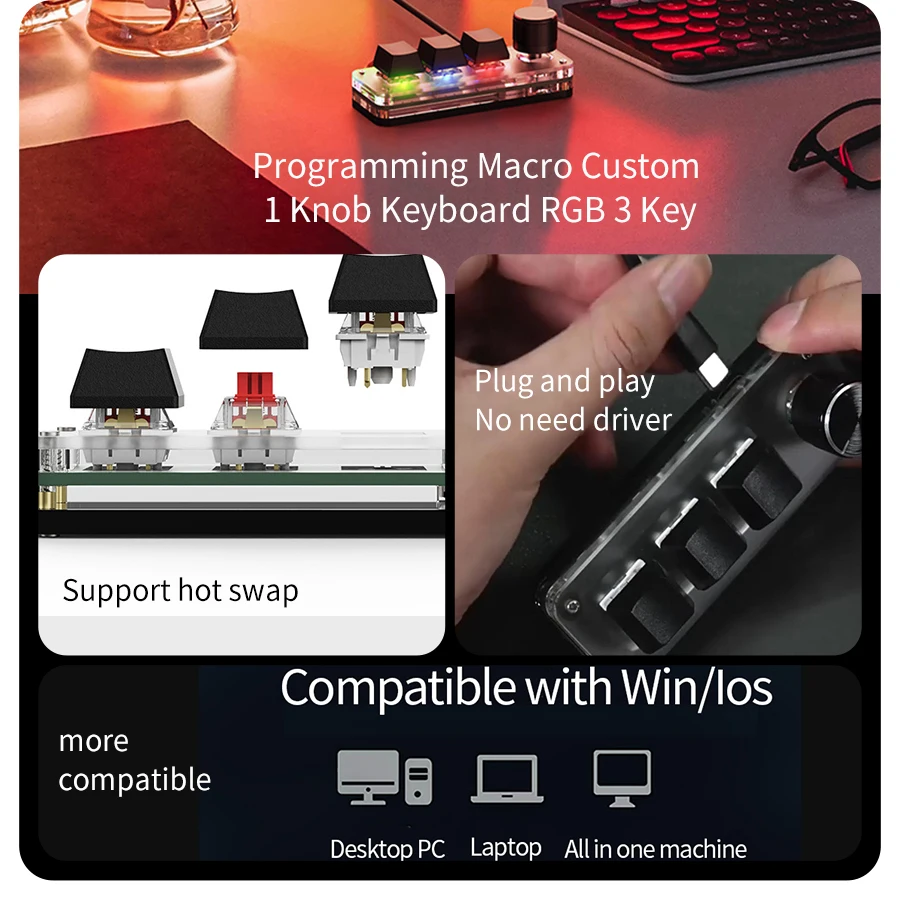
Switches Hot swap: Yes
Type: Wired
• Mechanical Operation Style :Enjoy a tactile and responsive typing experience with the mechanical operation style of this keyboard.
• Multicolor Backlight :The multicolor backlight feature adds a touch of style to your setup and makes it easier to use in low-light conditions.
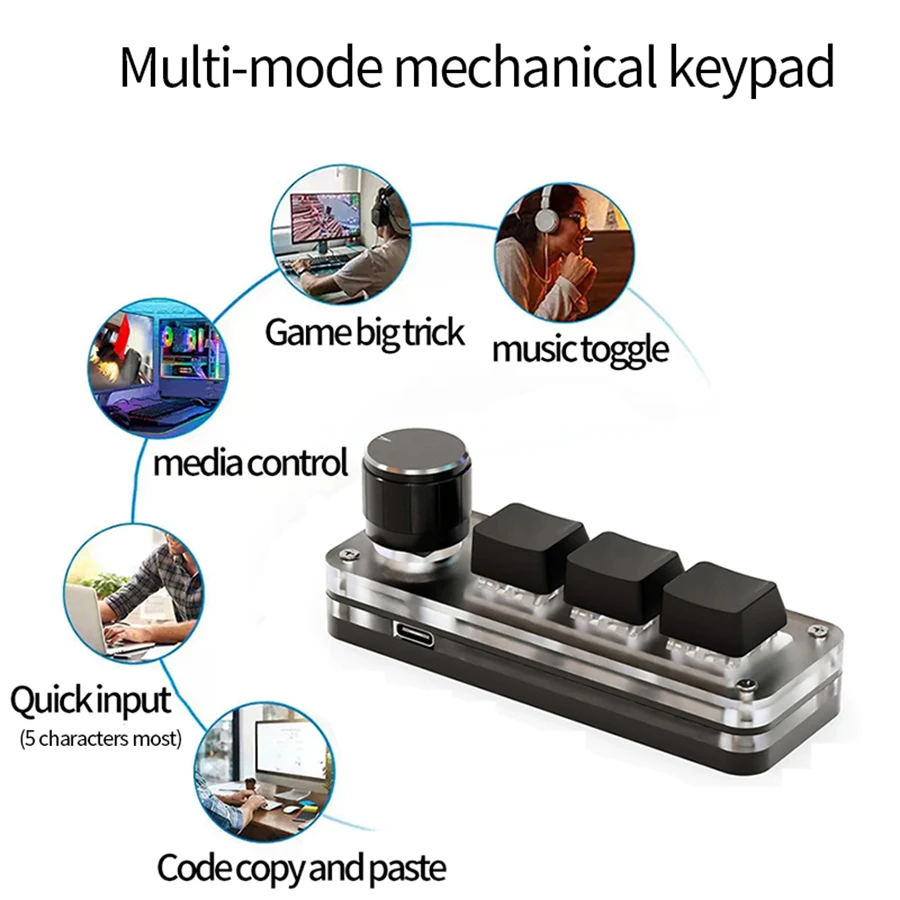
• Custom Programming :Customize your keyboard's functionality with the ability to program specific keys for your needs.
• 3 Keys for Photoshop :With three dedicated keys for Photoshop, you can easily access commonly used commands without having to switch between tools.
• Macro Keypad :The Macropad Macro Mechanical Keyboard features a macro keypad that allows for easy and efficient custom programming.
• Mini Size :The Macropad Macro Mechanical Keyboard is a mini size, making it easy to carry around and use on-the-go.
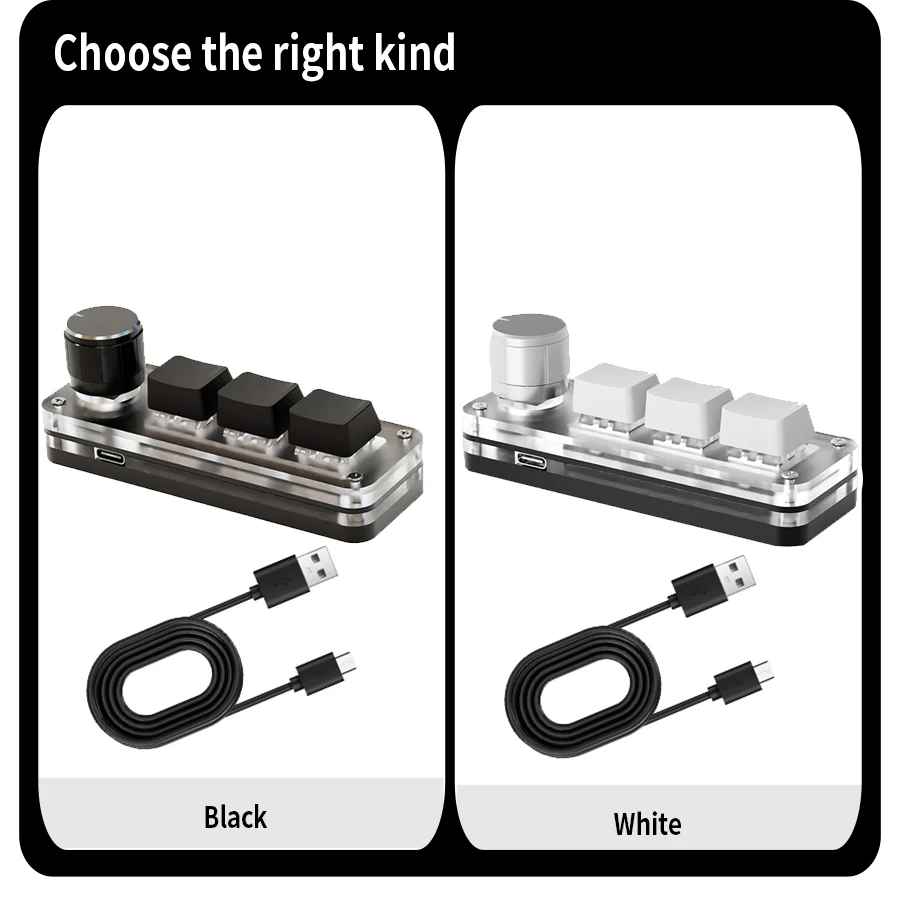
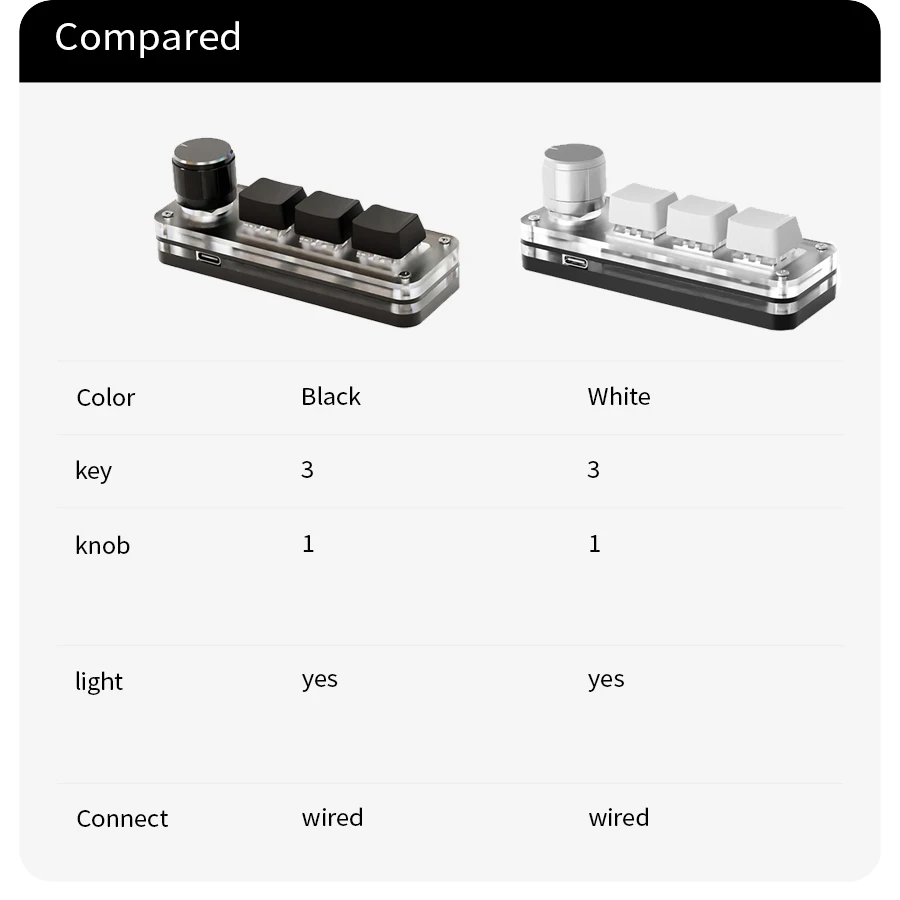
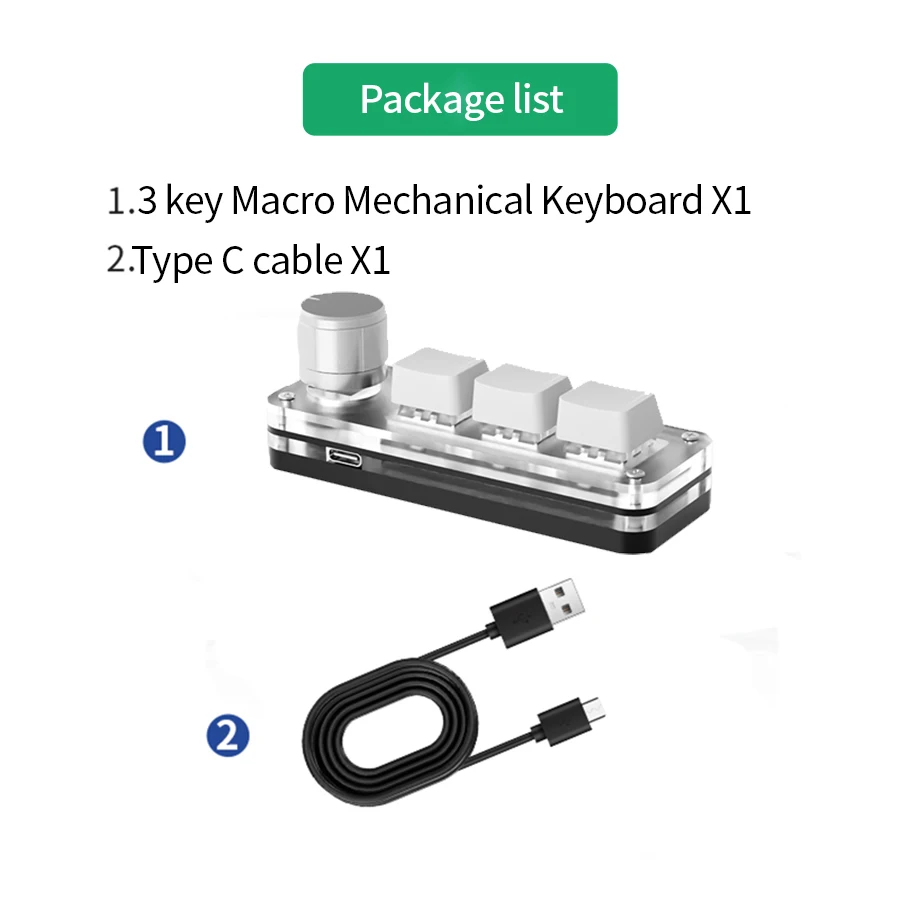
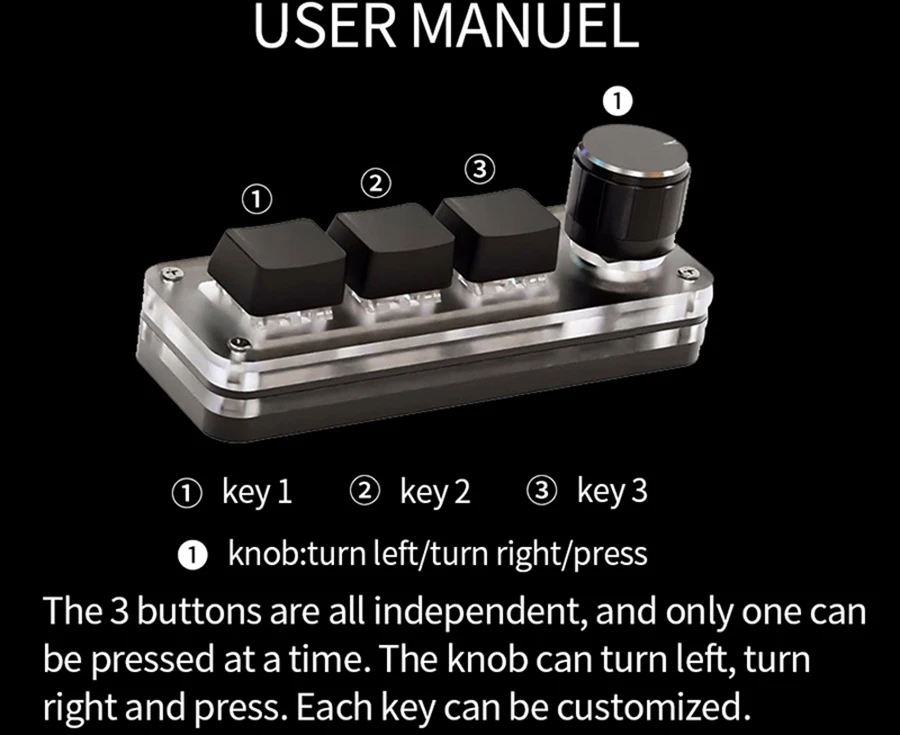
This is a mini keyboard with custom functions,Type-C to USB interface, no driver required, plug and play.Button customization, can be set according to your requirements.
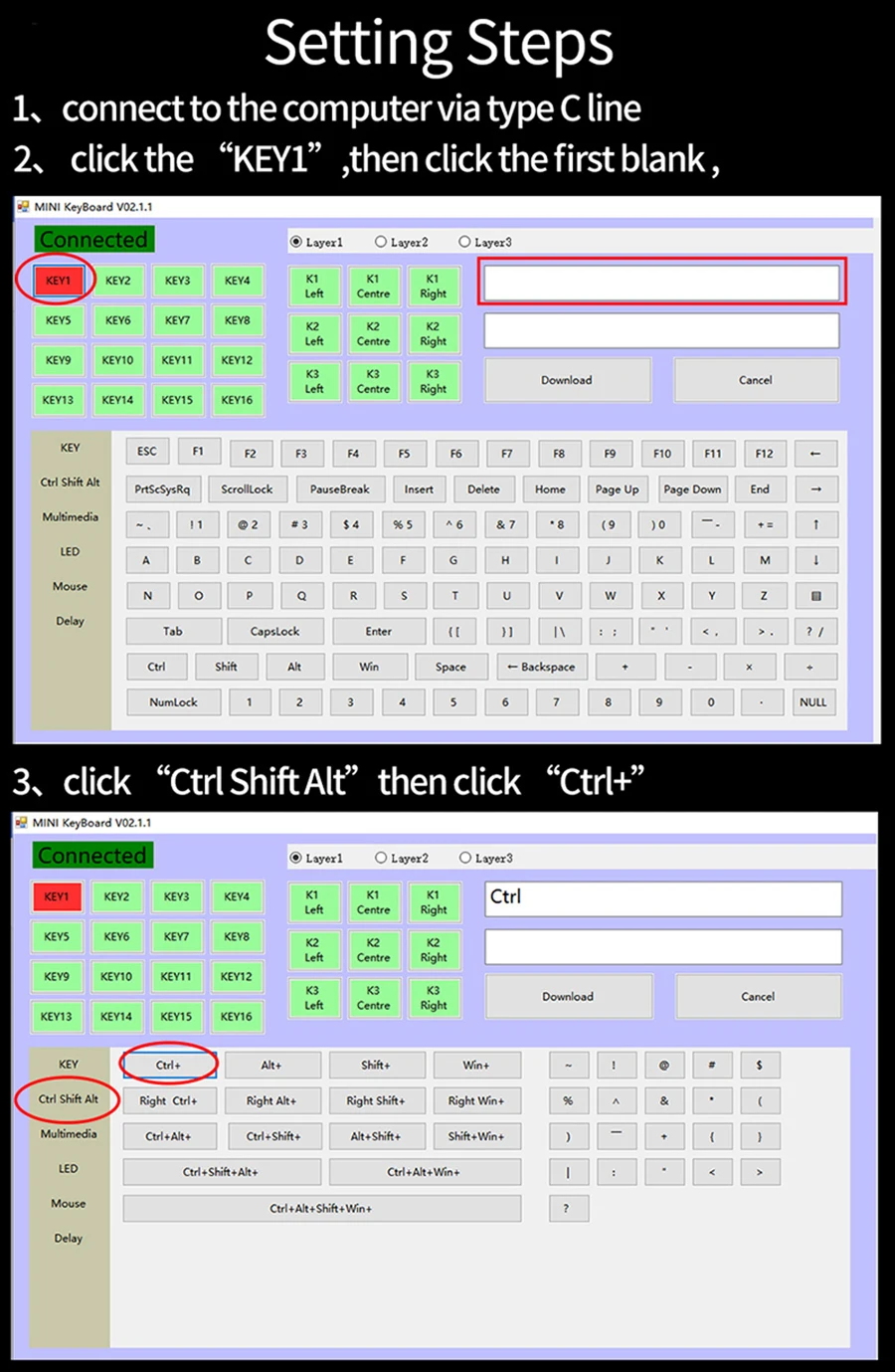
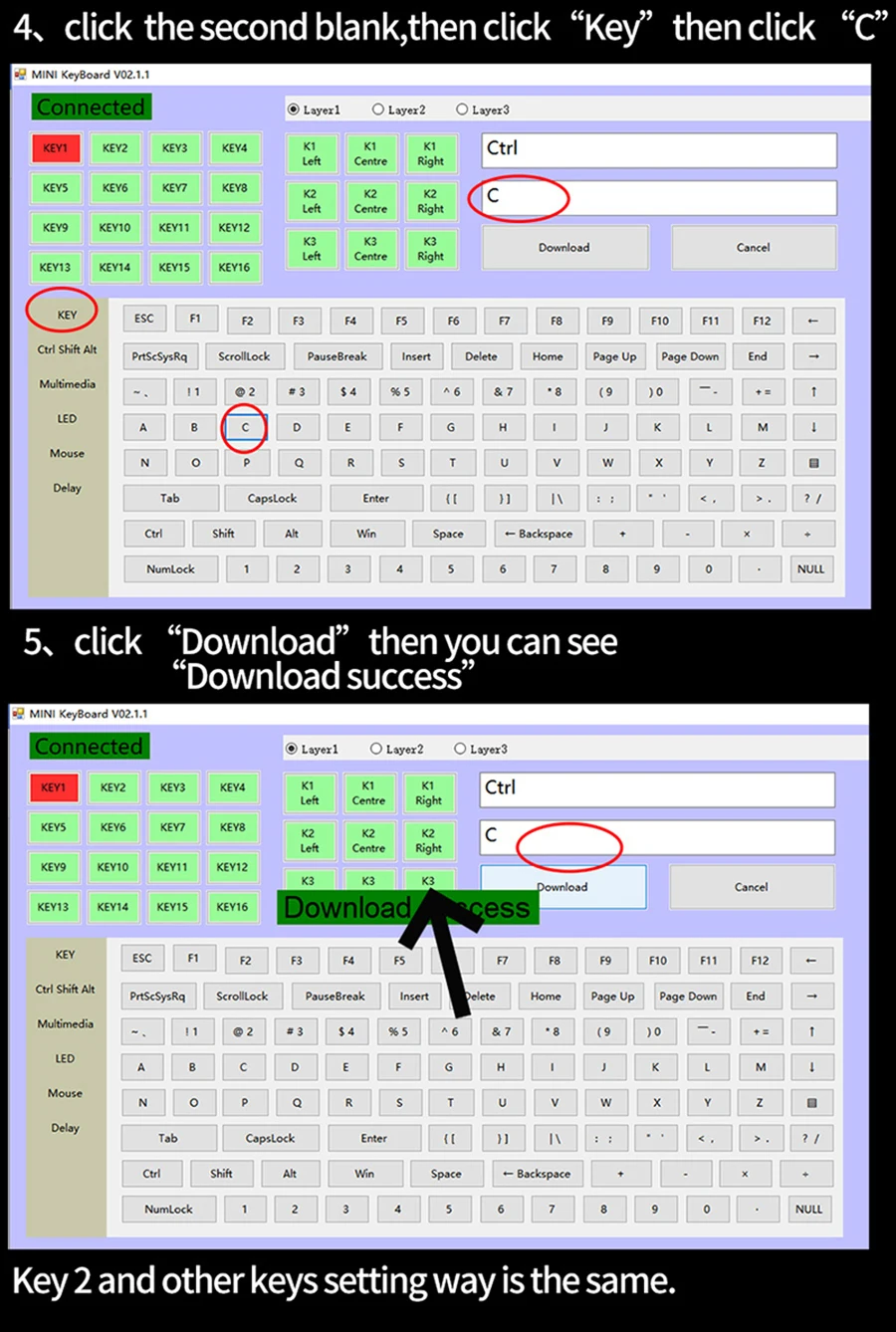
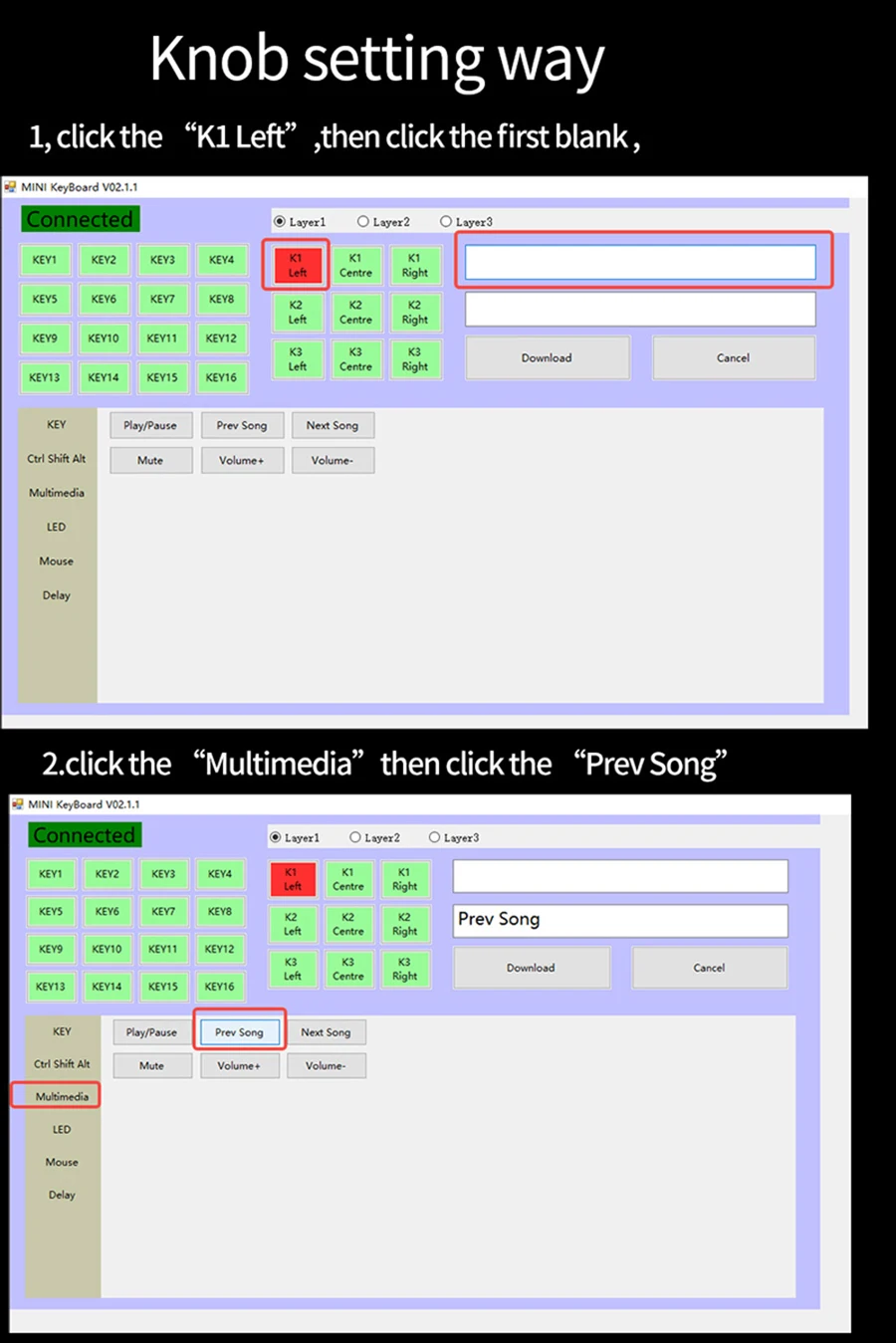
If you don’t know how to download the software, please see here:
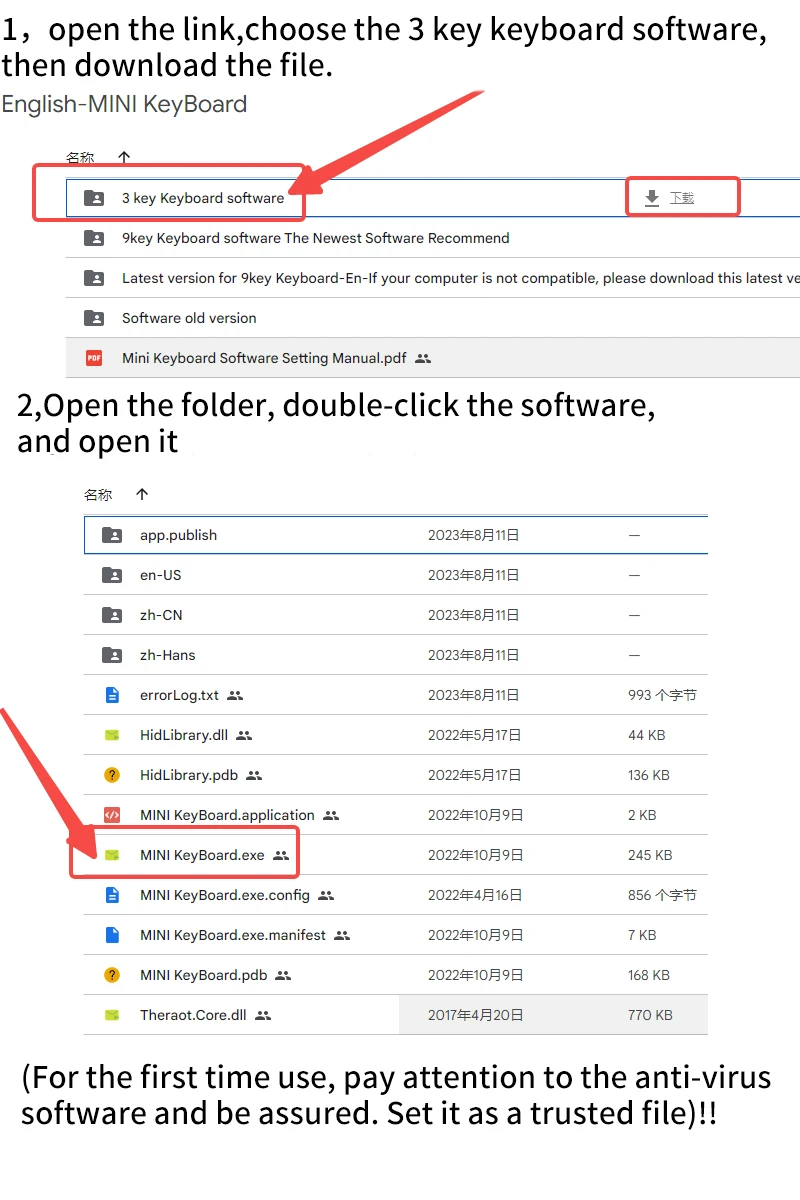
1.Software download link:https://drive.google.com/drive/folders/1xqFDp-l5TVA_6Ojsn0rt7GqvF5EvWDCi?usp=share_link
2,open the link ,and follow step:
3,remember to set it on windows computer.
 Notice:
Notices:
1,It need to use Widows system to set up the software
2,Led light can be turn off,you can choose model 0
3,Software download link:https://drive.google.com/drive/folders/1xqFDp-l5TVA_6Ojsn0rt7GqvF5EvWDCi?usp=share_link
Questions & Answers
Question 1: There is no response when the keyboard is connected to the computer, or the device is prompted abnormally.
Solution: Check whether the cable and interface have been connected, and re-plug; replace the USB on the computer
Plug the interface back in.
Question 2: After downloading the custom software, it cannot be opened.
Solution: Check whether the anti-virus software is blocking the operation, and set it as a trusted file.
Made with care
Great value
Elegant design
Quality materials
Details
This product is crafted with quality materials to ensure durability and performance. Designed with your convenience in mind, it seamlessly fits into your everyday life.
Shipping & Returns
We strive to process and ship all orders in a timely manner, working diligently to ensure that your items are on their way to you as soon as possible.
We are committed to ensuring a positive shopping experience for all our customers. If for any reason you wish to return an item, we invite you to reach out to our team for assistance, and we will evaluate every return request with care and consideration.


